Still can't tip with wallet
Hi guys,
I’ve tried tipping from the beginning and again just now after some time away, and still not working for me... Could you please let me know the ideal way to do it? Currently wallet is selected using Metamask in Google Chrome. Assuming I need to be on the Base network? Also, I use Ledger live. Any more info you need let me know. Would love to be able to tip artists from wallet but not been able so have a handful of free collected items.
Thanks in advance!
Log in to comment and vote
Comments4
Paul Spencer
Nov 27, 2024
Hi, sorry for the long delay here - is this still an issue? We’ve made a number of updates with wallet interactions and I’m hoping along the way that we solved this problem
SneakHeads
Dec 3, 2024
Hey Paul,
We can now tip from the balance which not only works, but is much better! :)
Paul Spencer
Dec 3, 2024
Yay!
Paul Spencer
Oct 29, 2024
Hi,
I’ll try to help you out.
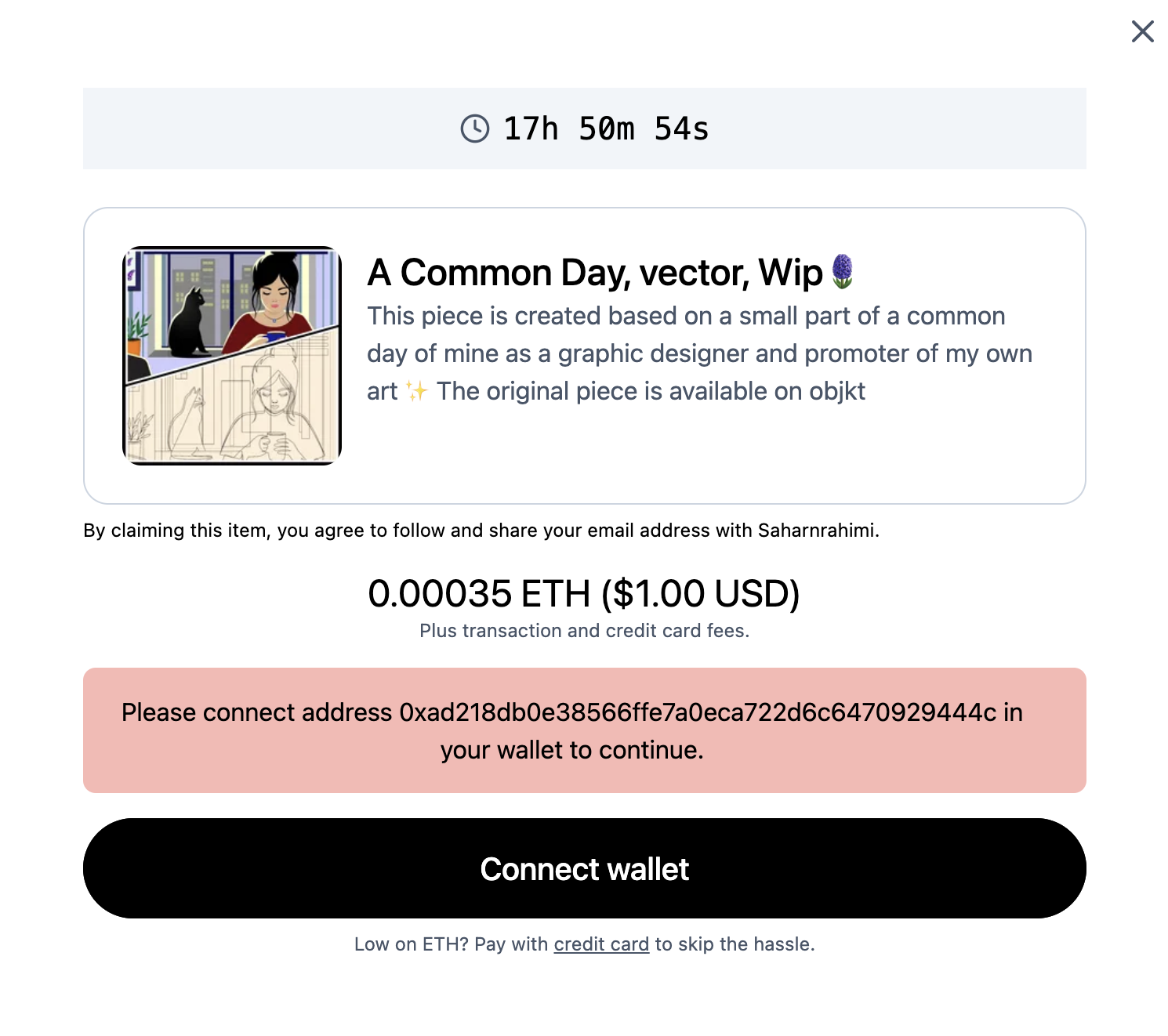
Your default wallet is 0xad218db0e38566ffe7a0eca722d6c6470929444c which according to our database is a MetaMask wallet.
From the message you are receiving, you are not getting a connection between MetaMask and the Remx site. Normally, clicking “Connect wallet” should open MetaMask and prompt you to connect an address from your wallet to the site.
If you are not connected to Base and the wallet is connected, you would see a different message.
I have been suggesting that people ensure that MetaMask is disconnected from Remx using the following steps:
Open MetaMask browser extension, at the top right you should see a small icon for Remx and possibly a green or grey dot:
Click this icon to open the Connected Accounts menu.
Click “Disconnect all accounts”
Reload Remx and attempt to collect and tip. This should bring you back to this point:
Now when you click Connect wallet you should see MetaMask open with this screen:
Note that this opens as a popup window and might be blocked by Chrome, in which case there should be an indication in the address bar of Chrome that would allow you to allow popups.
You may also not see the popup window but you should see a pending request for MetaMask that looks like this:
Clicking it should open or focus the popup window.
If you get this far, clicking Next should open this screen:
After you confirm, the mint dialog should change to this:
After you click Confirm and pay, you may get messages about being on the correct chain or insufficient balances (you need Eth on Base to tip, there is a bridge in MetaMask that allows you to move Eth from mainnet to Base).
Please let me know how it goes. If it doesn’t work, would you be open to hopping on a Google Meet call so I can debug in realtime what the problems might be?